
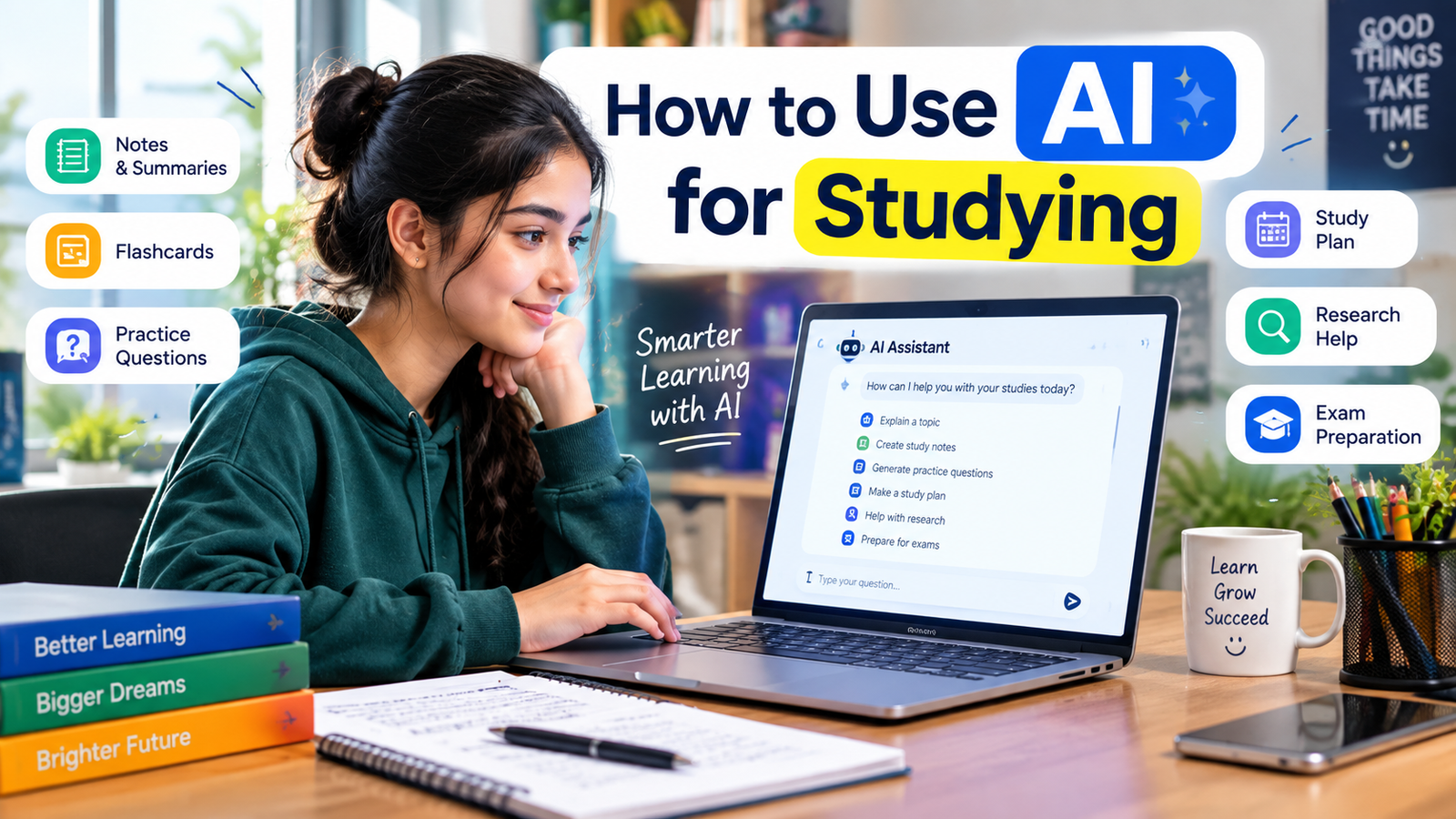
Artificial intelligence is changing the way students learn, study, research, and organize their academic work. Instead of using AI only for answering questions, students can use it as a study assistant to understand difficult topics, create study plans, summarize information, practice questions, and improve their learning process.
However, using AI effectively does not mean asking it to do all your school or college work. The best approach is to use AI as a learning tool that supports your own thinking and understanding.
In this guide, you will learn how to use AI for studying, practical ways AI can help students, useful prompts, common mistakes to avoid, and how to use AI responsibly.
What Is AI for Studying?
AI for studying refers to using artificial intelligence tools to support different parts of the learning process.
Students can use AI to:
- Explain difficult concepts
- Create study plans
- Generate practice questions
- Summarize study material
- Create flashcards
- Improve writing
- Brainstorm ideas
- Practice languages
- Review notes
- Prepare for exams
AI can make studying more interactive and personalized when used correctly.
For example, instead of simply reading a difficult textbook paragraph several times, you can ask an AI tool to explain the concept in simpler language and then test your understanding with practice questions.
How Can AI Help Students Study?
AI can support students in several different ways.
The most useful applications are not necessarily about getting quick answers. They are about helping you understand information and practice what you have learned.
Here are some practical ways to use AI for studying.
1. Ask AI to Explain Difficult Topics
One of the easiest ways to use AI for studying is to ask it to explain difficult concepts.
If you are struggling with a topic in mathematics, science, history, economics, or another subject, you can ask AI to explain it in simple language.
For example, instead of asking:
“Explain photosynthesis.”
You could ask:
“Explain photosynthesis in simple language for a high-school student. Break the process into five steps and give me a simple real-world analogy.”
The second prompt gives the AI more context and can produce a more useful explanation.
You can also ask follow-up questions if something is still confusing.
2. Create a Personalized Study Plan
Students often struggle with organizing their study time.
AI can help you create a study schedule based on your subjects, available time, and exam dates.
For example, you can provide:
- Your subjects
- Exam dates
- Available study hours
- Difficult topics
- Topics you have already completed
Then ask AI to organize these into a practical study plan.
You should review the plan and adjust it according to your actual schedule.
3. Turn Notes Into Study Material
If you already have your own notes, AI can help transform them into different study formats.
For example, you can ask it to turn your notes into:
- Bullet points
- Flashcards
- Practice questions
- Multiple-choice questions
- Short-answer questions
- Revision summaries
This can save time when preparing for exams.
However, always check the output against your original study material because AI can sometimes misunderstand or incorrectly summarize information.
4. Generate Practice Questions
Practice is one of the most useful parts of studying.
AI can generate questions based on a topic you are learning.
For example, you could ask:
“Create 15 multiple-choice questions about basic economics. Do not show the answers initially. After I answer, check my responses and explain my mistakes.”
This creates an interactive study session.
You can also ask for different difficulty levels.
Start with basic questions and gradually move toward more challenging ones.
5. Use AI as a Personal Tutor
AI can act like a conversational study partner.
Instead of simply asking for answers, you can ask the AI to teach you step by step.
For example:
“Act as my math tutor. Give me one algebra problem at a time. Don’t give me the answer immediately. Let me try first, then explain where I went wrong.”
This approach encourages active learning.
The goal should be to make yourself think rather than simply copy the AI’s answer.
6. Create Flashcards
Flashcards are useful for memorizing definitions, vocabulary, formulas, dates, and key concepts.
AI can turn your study material into flashcard-style questions and answers.
For example:
Question: What is the process by which plants convert light energy into chemical energy?
Answer: Photosynthesis.
You can ask AI to create dozens of flashcards from a specific chapter or topic and then use them for revision.
7. Improve Your Study Notes
AI can help organize messy or unstructured notes.
For example, you might have several pages of notes from a lecture.
AI can help organize them into sections such as:
- Key concepts
- Important definitions
- Examples
- Formulas
- Questions to review
- Topics you need to study further
This can make your revision material easier to navigate.
8. Use AI for Language Learning
Students learning a new language can use AI for practice.
You can ask AI to:
- Correct sentences
- Explain grammar
- Create vocabulary exercises
- Simulate conversations
- Translate short passages
- Give writing feedback
- Create quizzes
For example:
“Have a beginner-level conversation with me in English. Ask one question at a time and correct my grammar after each response.”
This gives students an opportunity to practice actively.
9. Prepare for Exams With AI
AI can help you organize exam preparation.
You can provide the topics included in your exam and ask for a revision strategy.
For example:
“I have seven days before my biology exam. These are the five chapters I need to study. Create a daily revision plan with practice questions and review sessions.”
You can also ask AI to identify areas that need more practice based on your mistakes.
10. Use AI to Understand Your Mistakes
Making mistakes is a normal part of learning.
Instead of simply asking AI for the correct answer, ask it to explain why your answer was wrong.
For example:
“Here is my answer to this math problem. Explain where my reasoning went wrong without immediately giving me the final answer.”
This approach can help you understand the underlying concept.
How to Write Better AI Prompts for Studying
The quality of an AI response often depends on the instructions you provide.
A useful study prompt usually includes four things:
Context + Goal + Level + Format
For example:
“I am a first-year college student studying biology. Explain cell division in simple language, use an analogy, and finish with five practice questions.”
This is much more specific than:
“Explain cell division.”
You can also tell AI what not to do.
For example:
“Don’t give me the answer immediately. Ask me questions first and guide me toward the solution.”
This can make AI more useful as a learning assistant.
How to Use AI for Studying Effectively
AI becomes much more useful when you use it as an active learning assistant rather than simply copying answers.
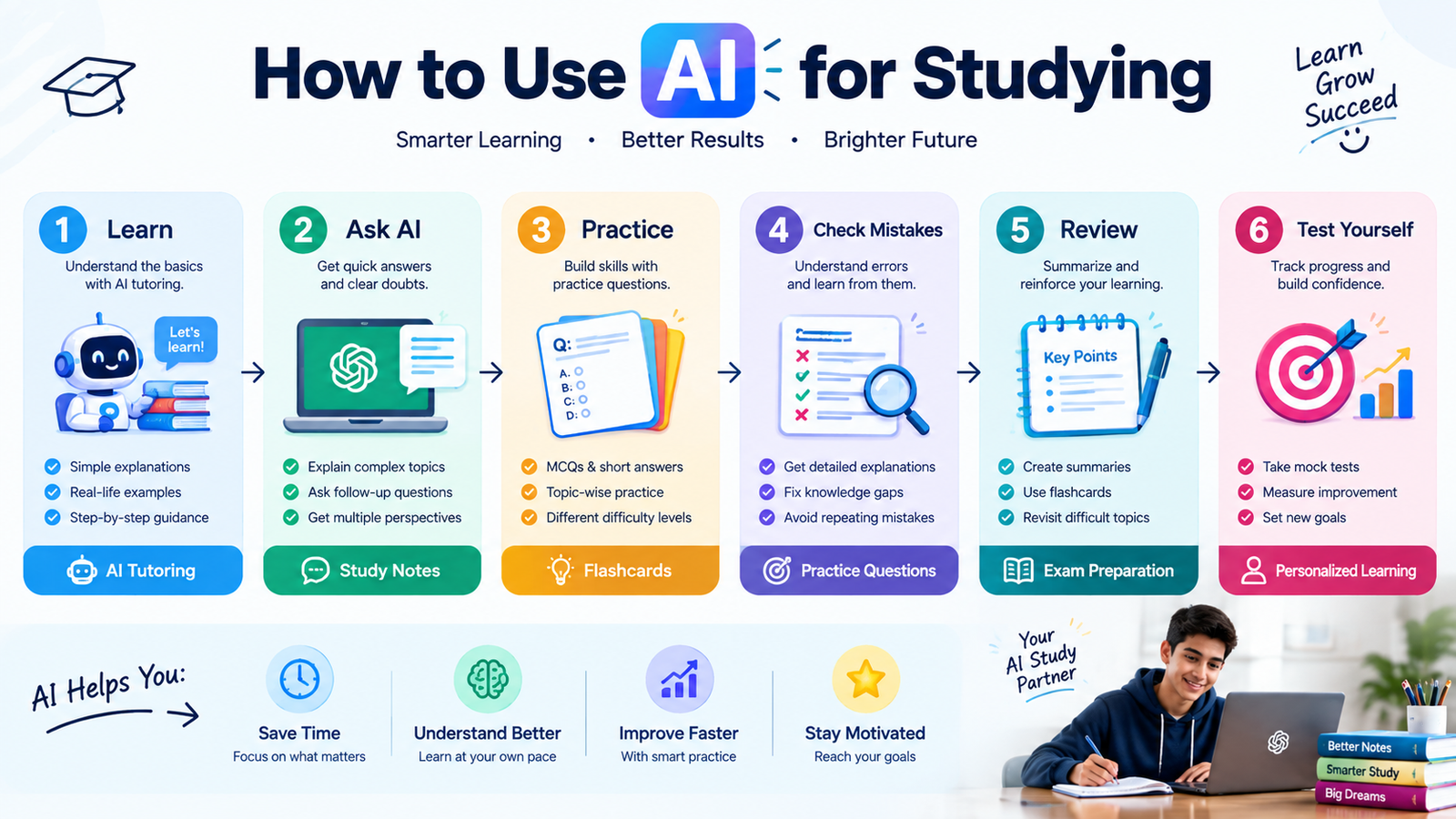
Try following this simple process:
Learn → Ask Questions → Practice → Check Mistakes → Review → Test Yourself
For example, first learn a topic from your textbook or class material. Then use AI to clarify confusing concepts. After that, practice without looking at the answer. Finally, use AI to review your mistakes.
This keeps you involved in the learning process.
Don’t Let AI Do All Your Homework
One of the biggest mistakes students can make is using AI to complete every assignment without understanding the material.
If you simply copy an AI-generated answer, you may finish an assignment but learn very little.
Instead, use AI to:
- Understand the topic
- Brainstorm ideas
- Create an outline
- Explain difficult concepts
- Review your work
- Generate practice questions
Then do the actual thinking and learning yourself.
Also follow your school’s or university’s rules about AI use. Some assignments may restrict or prohibit AI-generated content.
Check AI-Generated Information
AI tools can sometimes provide incorrect, incomplete, or outdated information.
This is especially important for academic research.
Before relying on AI-generated information:
- Check your textbook
- Use reliable academic sources
- Verify important facts
- Check calculations
- Review citations
- Ask your teacher when necessary
AI should support your learning, not replace reliable sources.
Protect Your Personal Information
Students should also be careful about what information they enter into AI tools.
Avoid sharing unnecessary sensitive information such as:
- Passwords
- Personal identification information
- Private school records
- Confidential documents
- Other people’s private information
If you are using AI with class notes or documents, consider whether the material contains information that should remain private.
AI Study Prompts Students Can Use
Here are some practical prompts you can try.
For Understanding
“Explain [topic] in simple language and give me three examples.”
>For Revision
Create a one-page revision summary of these notes.”
>For Practice
“Create 10 practice questions about [topic] without showing the answers.”
>For Exam Preparation
“Create a 7-day study plan for my [subject] exam.”
>For Mistakes
“Review my answer and explain my mistakes without immediately giving me the correct answer.”
>For Flashcards
“Turn these notes into 20 flashcards covering the most important concepts.”
Benefits of Using AI for Studying
When used responsibly, AI can provide several benefits.
Personalized Learning
You can ask for explanations based on your current level.
Faster Revision
AI can help turn notes into summaries, questions, and flashcards.
Instant Practice
You can generate practice exercises whenever you need them.
Interactive Learning
Instead of passively reading, you can have a conversation about a topic.
Better Organization
AI can help organize study tasks, notes, and revision schedules.
Limitations of AI for Students
AI is useful, but it is not perfect.
Potential problems include:
- Incorrect information
- Overreliance on AI
- Reduced independent thinking
- Poor-quality answers from vague prompts
- Academic integrity issues
- Privacy concerns
The solution is not necessarily to avoid AI completely. Instead, learn how to use it responsibly and critically.
A Simple AI Study Routine
You can create a daily AI-assisted study routine.
Step 1: Learn
Study the topic using your textbook, lecture, or other reliable learning material.
Step 2: Ask
Use AI to clarify anything you do not understand.
Step 3: Practice
Ask AI to generate exercises or questions.
Step 4: Test Yourself
Try answering without looking at the solution.
Step 5: Review
Ask AI to explain your mistakes.
Step 6: Repeat
Return to difficult topics and practice again.
This approach makes AI part of a broader study system rather than the entire system.
Final Thoughts
Learning how to use AI for studying can help students organize their time, understand difficult topics, practice more effectively, and prepare for exams.
The most effective approach is to use AI as a tutor, brainstorming partner, revision assistant, and study planner—not as a replacement for your own thinking.
Start with simple tasks such as explaining difficult concepts, creating practice questions, organizing notes, and building study schedules.
As you become more comfortable with AI, you can create personalized study workflows that match your subjects and learning style.
Remember: AI should help you learn, not learn for you.
