
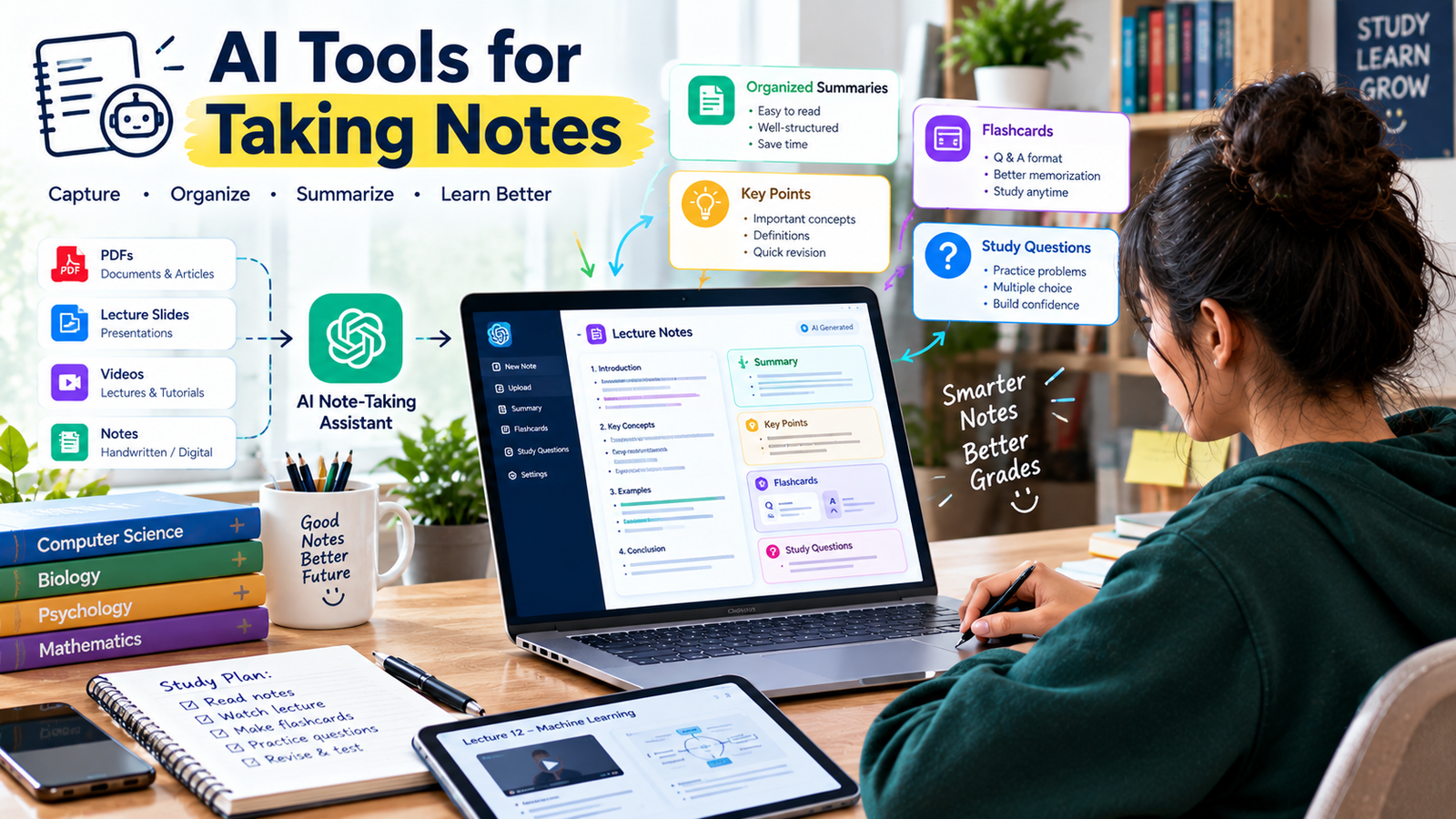
Taking notes is one of the most important parts of studying, but traditional note-taking can take a lot of time. Students often have to listen to lectures, write important points, organize information, and review everything later.
AI tools are making this process easier.
With the right AI tools for taking notes, students can organize information, summarize long notes, create study questions, identify important concepts, and turn messy information into structured study material.
Instead of replacing your own note-taking completely, AI can help you make your notes more useful and easier to review.
In this guide, we’ll explore how students can use AI for note-taking, the best types of AI note-taking tools, practical examples, and ways to turn AI-generated notes into effective study material.
What Are AI Note-Taking Tools?
AI note-taking tools are applications that use artificial intelligence to help capture, organize, summarize, or transform information.
Depending on the tool, students can use AI to:
- Summarize lectures
- Organize class notes
- Extract key points
- Create study guides
- Generate flashcards
- Create practice questions
- Transcribe audio
- Summarize PDFs
- Organize research
- Improve note structure
- Find important concepts
- Review previous notes
The biggest advantage is that AI can reduce the amount of time spent organizing information, giving students more time to understand and review it.
Why Should Students Use AI for Taking Notes?
Traditional note-taking can become difficult when a lecture contains a lot of information.
You may miss an important point while trying to write something down.
AI can help organize information after the lecture or from study materials.
For example, you can provide notes and ask:
“Turn these notes into a structured study guide with headings, key concepts, definitions, and examples.”
Instead of having a large block of text, you get a more organized learning resource.
However, students should still review AI-generated notes because AI can misunderstand information or leave out details.
1. ChatGPT
ChatGPT can be used as a flexible AI note-taking assistant.
Students can provide notes, text, PDFs, slides, or other supported study materials and ask ChatGPT to organize or transform them.
For example:
“Summarize these lecture notes into the five most important concepts.”
You can also ask:
“Turn these notes into 20 flashcards.”
Or:
“Create 15 exam questions from these notes without showing the answers.”
ChatGPT’s Study Mode can also work with uploaded course materials and help students review notes, readings, slides, worksheets, PDFs, and images. It can ask questions, explain concepts step by step, and check understanding.
This makes ChatGPT useful not only for creating notes but also for turning notes into active study material.
2. Microsoft OneNote With AI Features
OneNote is widely used for digital note-taking, and AI assistance can make organizing information easier depending on the available Microsoft features and account.
Students can use digital notebooks to organize:
- Lecture notes
- Assignment information
- Research
- Study plans
- Project notes
- Revision material
AI assistance can help summarize or work with information, while OneNote provides a structured place to keep everything together.
For students already using Microsoft’s ecosystem, keeping notes and productivity tools in one environment can be convenient.
3. Notion AI
Notion is popular among students who want to combine notes, tasks, databases, and study planning.
Notion AI can help students work with their existing information.
For example, you can create a lecture page and later ask AI to help summarize or organize the content.
Students can use a workspace for:
- Class notes
- Assignment deadlines
- Research
- Study schedules
- Project planning
- Revision lists
One advantage of this approach is that your notes and study organization can remain in the same workspace.
4. Otter.ai
AI transcription tools can be useful when you need to turn spoken content into text.
Otter.ai is designed around transcription and meeting or conversation notes.
For students, transcription can potentially help with:
- Lecture review
- Study discussions
- Interviews
- Group projects
- Research conversations
However, always check whether recording or transcribing a lecture is allowed by your school, teacher, or institution.
You should also review AI-generated transcripts because names, technical terms, formulas, and specialized vocabulary can sometimes be transcribed incorrectly.
5. Google Gemini
Google Gemini can also be used as an AI assistant for organizing and understanding study information.
Students can provide relevant material and ask for:
- Summaries
- Key points
- Explanations
- Study questions
- Topic breakdowns
For example:
“Summarize these notes into a simple revision guide. Separate important definitions, examples, and concepts.”
As with any AI tool, compare important information with your original course material.
6. Notebook-Style AI Tools
Some AI tools are designed specifically around working with a collection of documents or study materials.
These tools can be useful when you have multiple sources related to one subject.
For example, you might have:
- Lecture slides
- A PDF textbook chapter
- Class notes
- Research papers
- Study guides
An AI notebook can help you organize questions and summaries around these materials.
This can be particularly useful for research-heavy subjects.
7. AI PDF and Document Tools
Students often receive course material in PDF format.
Instead of reading through a long document manually every time, AI document tools can help identify important information.
You can ask questions such as:
“What are the five most important concepts in this PDF?”
Or:
“Create a chapter summary and list the important terms.”
You can also ask:
“Create 10 exam questions based on this document.”
This can turn a static PDF into a more interactive study resource.
8. AI Transcription Tools
AI transcription tools can convert spoken information into written text.
This can be useful for students who need to review lectures or study discussions later.
A typical workflow could be:
Lecture → Transcript → Summary → Key Points → Study Questions → Revision
However, transcription should not become a substitute for paying attention during class.
Use the transcript as a review resource rather than relying on it as your only source of information.
9. AI Tools for Research Notes
Research projects often involve collecting information from many sources.
AI can help organize research notes into categories.
For example:
Topic: Climate Change
Category 1: Causes
Category 2: Effects
Category 3: Evidence
Category 4: Solutions
Category 5: Sources
You can then ask an AI tool to help identify connections between these categories.
This can make large research projects easier to manage.
Always keep track of the original sources instead of relying only on AI-generated summaries.
10. AI Tools for Creating Study Guides
One of the most useful ways to use AI notes is to transform them into a study guide.
For example, provide your notes and ask:
“Create a study guide with the following sections: key concepts, definitions, important examples, formulas, and possible exam questions.”
This can produce a more structured revision resource.
You can then review the guide and compare it with your original notes.
How to Use AI Tools for Taking Notes Effectively
AI works best when you give it clear instructions.
Instead of simply saying:
“Summarize this.”
Give the tool a specific task.
For example:
“Summarize these biology notes into five main concepts. For each concept, include a simple explanation, one example, and one question I should be able to answer after studying it.”
This gives you a much more useful result.
You can also specify your education level.
For example:
“I’m a first-year college student. Rewrite these notes in simple language while keeping important scientific terminology.”
How to Turn AI Notes Into Study Material
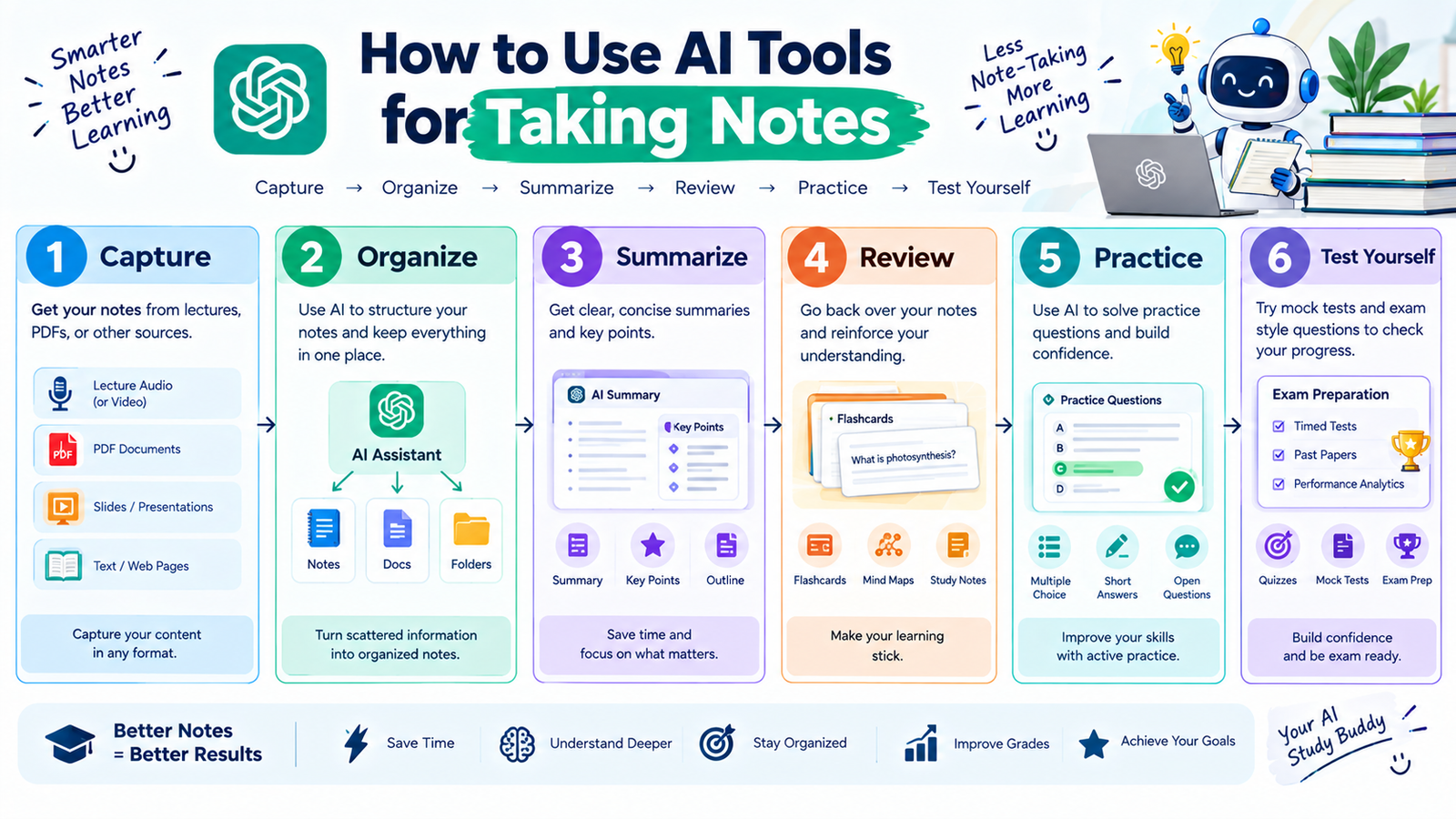
Creating a summary is only the beginning.
You can turn your AI-generated notes into several different study resources.
Step 1: Create a Summary
Ask AI to identify the most important information.
Step 2: Extract Key Concepts
Ask for the main concepts and definitions.
Step 3: Create Flashcards
Turn important information into question-and-answer cards.
Step 4: Create Practice Questions
Ask AI to create questions based on your notes.
Step 5: Review Your Mistakes
Answer the questions without looking at the notes.
Then ask AI to explain any mistakes.
Step 6: Take a Final Quiz
Ask AI to test your understanding without giving away the answers.
This creates a useful learning cycle:
Notes → Summary → Flashcards → Practice → Review → Test
Use AI to Organize Messy Notes
Not every student takes perfectly organized notes.
Sometimes notes contain:
- Short sentences
- Abbreviations
- Random points
- Missing headings
- Important information mixed with examples
AI can help reorganize this information.
For example:
“Organize these notes into clear headings and bullet points. Don’t remove important information.”
You can then check the reorganized version against your original notes.
Use AI to Find the Most Important Information
Long lectures and textbooks can contain a lot of information.
You can ask AI to identify:
- Main concepts
- Important definitions
- Formulas
- Dates
- Examples
- Potential exam topics
For example:
“From these notes, identify the 10 concepts I should understand before taking my exam.”
This can help you decide what to review first.
However, don’t assume that AI’s ranking of importance is always correct. Compare it with your teacher’s guidance and course requirements.
Use AI for Different Types of Notes
Different subjects require different note-taking methods.
Science
Ask AI to organize:
- Concepts
- Processes
- Formulas
- Diagrams
- Definitions
History
Ask AI to organize:
- Events
- Dates
- People
- Causes
- Effects
Mathematics
Ask AI to organize:
- Formulas
- Problem types
- Steps
- Examples
- Common mistakes
Languages
Ask AI to organize:
- Vocabulary
- Grammar rules
- Examples
- Common errors
Business
Ask AI to organize:
- Definitions
- Models
- Case studies
- Examples
- Important theories
This makes your notes more relevant to the subject you’re studying.
Don’t Let AI Replace Your Own Note-Taking
AI can save time, but students should not completely stop thinking during lectures.
Writing down important ideas yourself can help you process information.
A good approach is:
Listen → Understand → Capture Key Ideas → Use AI to Organize → Review
Instead of trying to record every sentence, focus on understanding the lecture and capturing the most important points.
Then use AI afterward to organize or expand your notes.
Verify AI-Generated Notes
AI-generated notes can contain errors.
For example, an AI tool might:
- Misinterpret a sentence
- Leave out an important detail
- Confuse two concepts
- Misread a technical term
- Summarize something incorrectly
Therefore, compare AI-generated notes with your original material.
For important academic information, verify it using textbooks, course materials, academic papers, or reliable sources.
Current OpenAI documentation also notes that Study Mode can make mistakes and recommends double-checking important information.
Protect Your Information
Students should also be careful about what they upload to AI tools.
Avoid unnecessarily sharing:
- Passwords
- Personal identification information
- Private academic records
- Confidential documents
- Other people’s private information
Before uploading lecture recordings, notes, or class documents, make sure you’re allowed to share them with the tool.
Respect Classroom and Recording Rules
If you’re using an AI transcription tool for lectures, check your institution’s policies first.
Some classes may have rules about:
- Audio recording
- Video recording
- Transcription
- Sharing course materials
- AI tools
Don’t assume that because a tool can technically record something, you’re automatically allowed to do it.
Best AI Note-Taking Workflow for Students
A simple AI note-taking system could look like this:
Before Class
Review the previous lesson and prepare questions.
During Class
Focus on understanding the lecture and capture important points.
After Class
Organize your notes and fill in missing information.
With AI
Ask AI to summarize, organize, or convert your notes into questions.
During Revision
Use flashcards and practice questions.
Before the Exam
Take a quiz without looking at your notes.
This workflow keeps you involved in the learning process while using AI to reduce repetitive work.
Common Mistakes When Using AI for Note-Taking
Copying Everything Into AI
More information doesn’t always mean better notes.
Give AI relevant material and specific instructions.
Trusting Every Summary
Always compare important information with the original source.
Stopping Manual Note-Taking Completely
Understanding the lecture should remain more important than creating a perfect transcript.
Ignoring Source Information
When doing research, keep track of where information came from.
Using AI Without a Clear Goal
Decide whether you want a summary, study guide, flashcards, or practice questions before asking.
Uploading Private Information
Review your documents before sharing them with any AI tool.
Final Thoughts
The best AI tools for taking notes can help students save time, organize information, summarize difficult material, and turn ordinary notes into useful study resources.
Tools such as ChatGPT, Notion AI, transcription tools, AI document assistants, and other study-focused applications can support different parts of the note-taking process.
But AI should not replace active learning.
The most useful workflow is to capture important information, organize it with AI when helpful, review the results, create practice material, and test yourself.
Use AI to make your notes clearer, more organized, and more useful for learning—not simply to avoid taking notes altogether.
When combined with your own understanding and careful review, AI can become a practical part of a modern student’s study routine.
