
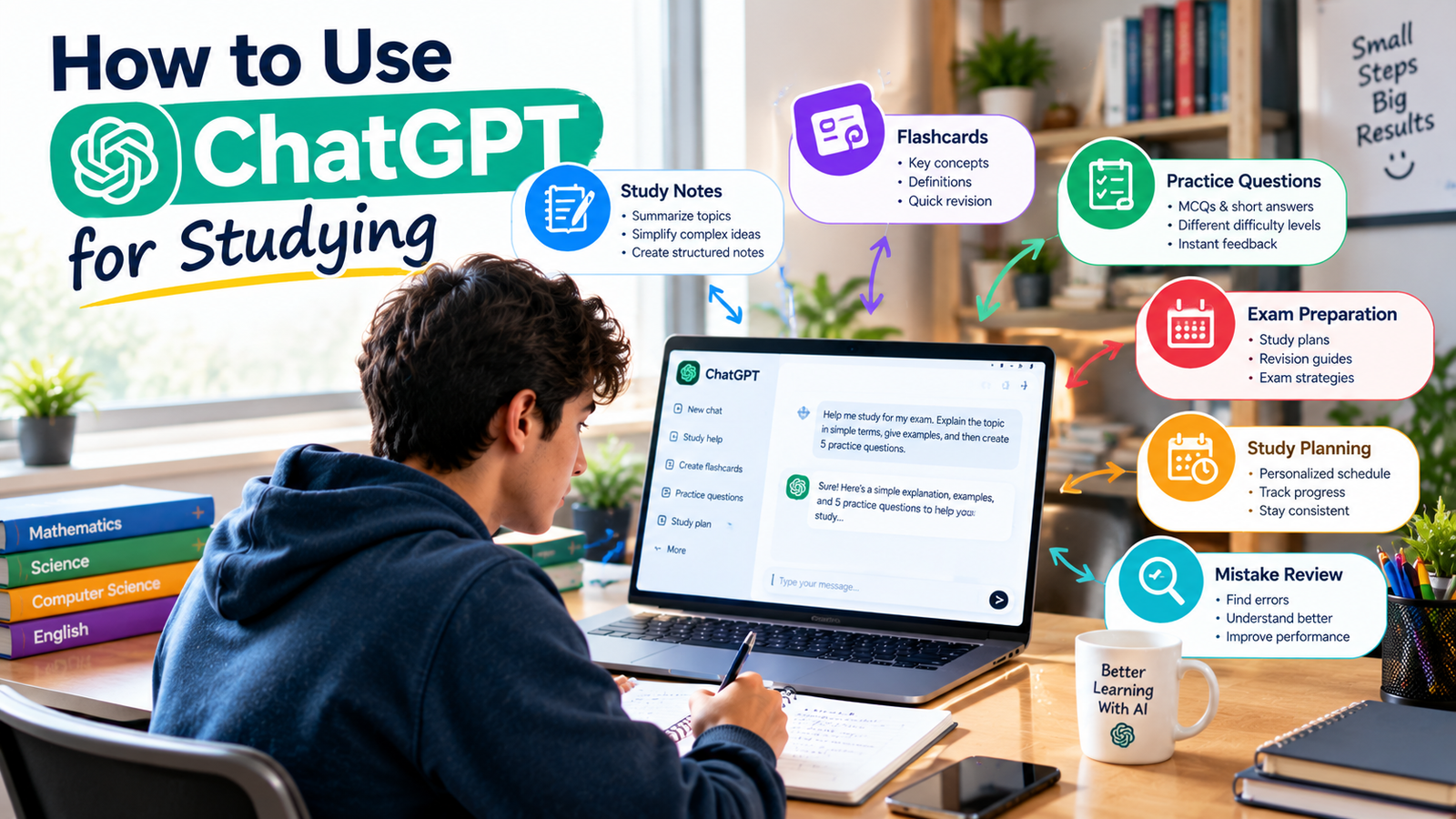
Artificial intelligence is changing the way students learn, revise, research, and prepare for exams. Among the many AI tools available today, ChatGPT can be used as a study assistant to explain difficult concepts, create practice questions, review notes, build study plans, and help students identify their mistakes.
But knowing how to use ChatGPT for studying effectively is more important than simply asking it for answers.
If you use ChatGPT to complete every task for you, you may save time but miss the opportunity to actually learn. On the other hand, if you use it as a tutor, practice partner, and revision assistant, it can become a useful part of your study routine.
This guide explains practical ways students can use ChatGPT for studying, including useful prompts, exam preparation strategies, note-taking techniques, and mistakes to avoid.
What Is ChatGPT and How Can Students Use It?
ChatGPT is an AI assistant that can respond to questions, explain concepts, generate practice material, help organize information, and support many different learning activities.
For students, it can be useful for:
- Understanding difficult topics
- Simplifying complex explanations
- Creating study plans
- Generating practice questions
- Making flashcards
- Reviewing notes
- Explaining mistakes
- Practicing languages
- Brainstorming ideas
- Improving writing
- Preparing for exams
- Creating quizzes
ChatGPT also includes Study Mode, a learning experience designed to guide students through questions, step-by-step explanations, and understanding checks rather than simply providing a final answer. It can also work with uploaded study materials such as notes, PDFs, slides, and images when those uploads are available.
The key is to use ChatGPT to support your learning rather than replace your own thinking.
1. Use ChatGPT to Understand Difficult Topics
One of the simplest ways to use ChatGPT for studying is to ask it to explain a topic that you find difficult.
For example, instead of searching through multiple websites, you could ask:
“Explain photosynthesis in simple language as if I am a high school student. Give me three examples.”
If the explanation is still difficult, ask ChatGPT to simplify it again.
You could say:
“Explain that using an everyday example.”
Or:
“Break this topic into five smaller concepts and explain each one separately.”
This allows you to learn at your own pace.
You can also ask ChatGPT to explain the same topic at different difficulty levels.
For example:
“Explain this topic first for a beginner, then give me a college-level explanation.”
This can be useful when moving from basic understanding to more advanced concepts.
2. Ask ChatGPT to Teach You Step by Step
Students often make the mistake of asking AI for the final answer immediately.
A better approach is to ask ChatGPT to guide you through the problem.
For example:
“Teach me how to solve quadratic equations step by step. Don’t give me the final answer immediately. Ask me questions and let me solve each step.”
This makes the interaction more like tutoring.
ChatGPT’s Study Mode is designed around this type of learning. It can ask questions, guide your thinking, explain concepts in stages, and check your understanding as you progress.
If ChatGPT moves too quickly, you can also tell it:
“Slow down and explain one step at a time.”
3. Use ChatGPT to Create a Study Plan
Another useful way to use ChatGPT is to create a personalized study schedule.
You can give ChatGPT information such as:
- Exam date
- Subject
- Number of chapters
- Difficult topics
- Available study time
- Current progress
- Revision requirements
For example:
“I have 10 days before my biology exam. I can study for two hours every evening. I have six chapters, and chapters 4 and 6 are difficult for me. Create a realistic study plan with learning, practice, and revision.”
ChatGPT can then create a starting plan.
You should adjust the plan according to your actual schedule, energy level, school timetable, and priorities.
4. Turn Your Notes Into Study Material
If you already have notes, ChatGPT can help turn them into different types of study material.
You can ask it to create:
- Summaries
- Key points
- Flashcards
- Multiple-choice questions
- Short-answer questions
- Definitions
- Practice exercises
- Revision checklists
For example:
“Turn these notes into 20 flashcards. Focus on the most important concepts.”
Or:
“Create 15 exam-style questions from these notes without showing me the answers.”
Then answer the questions yourself.
ChatGPT’s Study Mode can also work with uploaded course materials such as notes, worksheets, slides, PDFs, and images when those uploads are available.
5. Use ChatGPT for Exam Preparation
ChatGPT can be useful when preparing for an upcoming exam.
You can ask it to create a revision strategy based on your available time.
For example:
“I have seven days before my chemistry exam. Create a revision plan covering five chapters, daily practice questions, mistake review, and one final mock test.”
You can also turn ChatGPT into a quiz partner.
Try:
“Quiz me on chemistry one question at a time. Wait for my answer before asking the next question.”
You can then ask it to explain why your answer was correct or incorrect.
Study Mode can also be used for quiz preparation, practice questions, and understanding why an answer is correct or incorrect.
6. Use ChatGPT for Active Recall
Active recall means trying to remember information without looking at your notes.
It is a useful way to test whether you actually understand what you studied.
After reading a chapter, ask ChatGPT:
“Test me on this chapter. Ask one question at a time and don’t show me the answer until I respond.”
After you answer, ask ChatGPT to:
- Check your answer
- Identify mistakes
- Explain what you misunderstood
- Ask a follow-up question
A simple learning cycle could look like this:
Study → Recall → Answer → Check → Correct → Repeat
This is more active than simply reading the same notes again.
7. Use ChatGPT to Create Flashcards
Flashcards can be useful for memorizing information.
You can ask ChatGPT to create flashcards for:
- Vocabulary
- Definitions
- Scientific terms
- Historical dates
- Formulas
- Important concepts
- Language learning
For example:
“Create 30 flashcards about the human nervous system. Focus on important terms, functions, and definitions.”
You can also make the flashcards more challenging:
“Create 20 difficult flashcards that test whether I understand the concepts rather than simply memorizing definitions.”
8. Ask ChatGPT to Explain Your Mistakes
Mistakes can show you exactly where your understanding needs improvement.
Instead of asking only for the correct answer, ask ChatGPT to analyze your reasoning.
For example:
“I got this math problem wrong. Here is my solution. Find the exact step where I made the mistake and explain why.”
You can also say:
“Don’t give me the answer immediately. Give me a hint so I can correct my mistake myself.”
This helps you learn the process instead of simply copying the solution.
9. Use ChatGPT for Writing and Essays
Students can use ChatGPT to support different parts of the writing process.
For example, you can ask it to:
- Review grammar
- Improve clarity
- Explain writing concepts
- Create an outline
- Identify weak arguments
- Suggest questions for further research
- Give feedback on a draft
Instead of saying:
“Write my essay for me.”
Try:
“Review my essay outline and tell me which arguments need stronger evidence.”
Or:
“Review this paragraph for grammar and clarity, but keep my original ideas.”
This keeps you involved in the writing process.
For graded assignments, always follow your school’s or instructor’s rules regarding AI use.
10. Use ChatGPT for Research
ChatGPT can help you understand a research topic before you begin deeper research.
For example:
“Explain the major causes of climate change and give me five areas I should research further.”
This can help you develop research questions and understand the basic background of a topic.
However, AI-generated information should not automatically be treated as verified academic evidence.
For important research, check:
- Textbooks
- Academic papers
- University resources
- Government websites
- Official sources
- Reliable educational websites
Use ChatGPT to help you understand information, but verify important claims yourself.
11. Use ChatGPT With PDFs, Notes, and Images
If your ChatGPT experience supports file and image uploads, you can provide study materials and ask questions about them.
For example, you can upload class notes and ask:
“Summarize the most important concepts from these notes.”
Then ask:
“Create 15 practice questions based only on these notes.”
You can also upload a photo of a math or science problem and ask for step-by-step guidance.
OpenAI’s current Study Mode documentation says it can work with uploaded course materials, including notes, worksheets, slides, textbook excerpts, PDFs, and images, when uploads are available.
12. Use ChatGPT for Language Learning
ChatGPT can also act as a conversation partner for language learning.
You can ask it to:
- Practice conversations
- Correct grammar
- Explain vocabulary
- Create exercises
- Translate sentences
- Test your understanding
- Role-play real-life situations
For example:
“Pretend you are a restaurant waiter. I am learning English. Have a simple conversation with me and correct my grammar after each response.”
You can increase the difficulty as your language skills improve.
13. Create Better Study Prompts
The quality of your prompt can affect how useful the response is.
Instead of asking:
“Explain biology.”
Give ChatGPT more context.
For example:
“I’m a first-year college student studying biology. Explain cellular respiration in simple language, give me one real-world analogy, and then test me with five questions.”
A useful study prompt can include:
- Your education level
- Subject
- Exact topic
- What you already understand
- What you find difficult
- Your learning goal
- Preferred explanation style
OpenAI’s Study Mode guidance similarly recommends including your level, subject, exact topic, what you already understand, your goal, deadlines, and relevant course materials.
14. Use ChatGPT as a Tutor, Not a Shortcut
This is probably the most important rule.
Don’t make ChatGPT your answer machine.
Instead, make it your learning partner.
For example, instead of:
“Solve this problem.”
Try:
“Guide me through this problem. Give me one hint at a time and let me try each step.”
You can also ask:
“Ask me questions that help me discover the answer myself.”
This encourages active learning.
The purpose of using ChatGPT for studying should be to improve your understanding, not simply finish your homework faster.
15. Always Verify Important Information
ChatGPT can make mistakes.
Even when an answer sounds confident, it may contain incorrect information.
OpenAI’s current Study Mode documentation specifically notes that Study Mode can make mistakes and recommends double-checking important information.
For important academic topics, compare information with your:
- Textbook
- Teacher’s notes
- Course materials
- Academic sources
- Official websites
- Research papers
This is especially important for scientific information, statistics, formulas, historical facts, and research assignments.
Best ChatGPT Study Prompts for Students
Here are some practical prompts you can copy and use.
Understanding
“Explain [topic] in simple language and give me three examples.”
Step-by-Step Learning
“Teach me [topic] step by step. Ask me questions and let me try before giving me the answer.”
Revision
“Create a one-page revision summary from these notes.”
Practice
“Create 10 practice questions about [topic] without showing the answers.”
Flashcards
“Create 20 flashcards from these notes focusing on the most important concepts.”
Mistake Review
“Analyze my answer and explain exactly where my reasoning went wrong.”
Exam Preparation
“Create a 7-day study plan for my [subject] exam with learning, practice, revision, and testing.”
Quiz
“Quiz me on [topic] one question at a time. Wait for my answer before continuing.”
How to Use ChatGPT for Studying Without Becoming Dependent
AI can be extremely convenient, but students should still spend time studying without AI.
A balanced approach could be:
First: Try to understand the material yourself.
Second: Use ChatGPT when you get stuck.
Third: Practice without looking at the answer.
Fourth: Use ChatGPT to check your work.
Fifth: Test yourself without AI.
This gives you a better idea of what you actually know.
Don’t Use ChatGPT to Cheat
There is an important difference between using AI as a learning tool and using it to complete work that you are expected to do yourself.
Before using ChatGPT for an assignment, check your school’s or teacher’s AI policy.
For graded work, follow the requirements of your school, instructor, or organization. OpenAI’s Study Mode documentation also recommends following applicable AI-use policies.
Protect Your Personal Information
Students should also think about privacy when using AI tools.
Avoid sharing unnecessary:
- Passwords
- Personal identification information
- Private academic records
- Confidential documents
- Other people’s private information
If you upload notes or assignments, check what information they contain before sharing them.
A Simple ChatGPT Study Routine
You can use this simple routine for almost any subject.
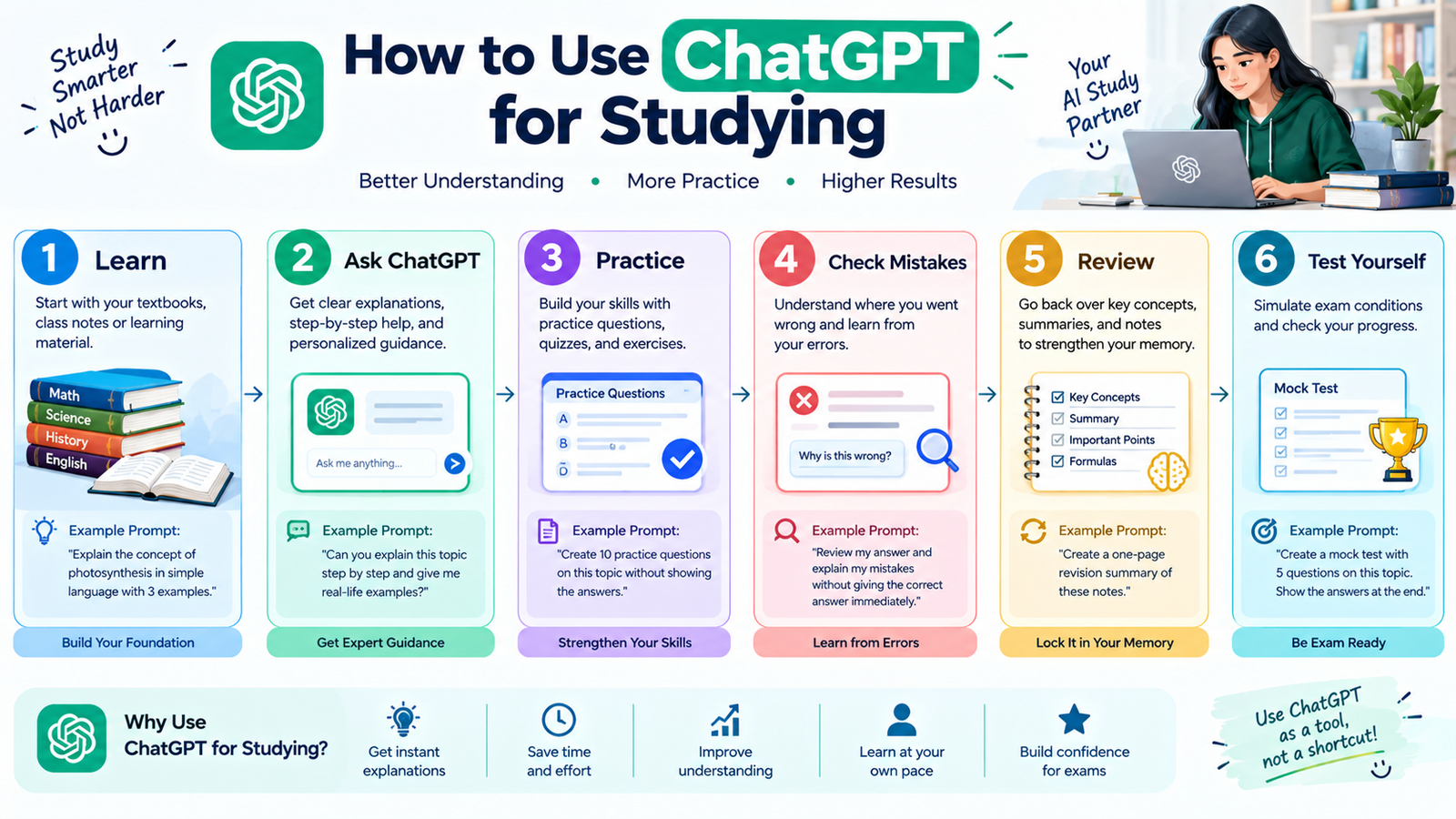
Step 1: Study the Material
Start with your textbook, notes, lecture, or course material.
Step 2: Identify Difficult Areas
Write down the concepts you don’t understand.
Step 3: Ask ChatGPT
Ask for an explanation, analogy, example, or hint.
Step 4: Practice
Solve questions without looking at the answer.
Step 5: Check Your Work
Ask ChatGPT to review your answer and identify mistakes.
Step 6: Take a Quiz
Ask ChatGPT to test you on the topic.
Step 7: Review Weak Areas
Return to the concepts where you struggled.
This routine keeps you actively involved while using AI as a supporting tool.
Common Mistakes Students Make When Using ChatGPT
Asking for Answers Immediately
Try solving the problem yourself first.
Using Vague Prompts
Give ChatGPT enough information about your subject and learning goal.
Copying AI Responses
Understanding an answer is more valuable than simply copying it.
Skipping Original Materials
Your textbook, teacher, and course materials should remain important sources.
Trusting Every AI Answer
Verify important information.
Using AI for Everything
Spend some study time without AI so you can measure your independent understanding.
Final Thoughts
Learning how to use ChatGPT for studying can make your study routine more interactive, organized, and personalized.
You can use ChatGPT to understand difficult concepts, create study plans, generate quizzes, make flashcards, review mistakes, practice languages, work with study materials, and prepare for exams.
The most effective approach is not to let ChatGPT do everything for you.
Use it as a tutor, practice partner, feedback assistant, and revision tool.
Try to solve problems yourself, ask for hints when you’re stuck, practice active recall, and verify important information.
When used responsibly, ChatGPT can become a valuable part of a modern student’s study routine while keeping independent thinking and genuine learning at the center.
