
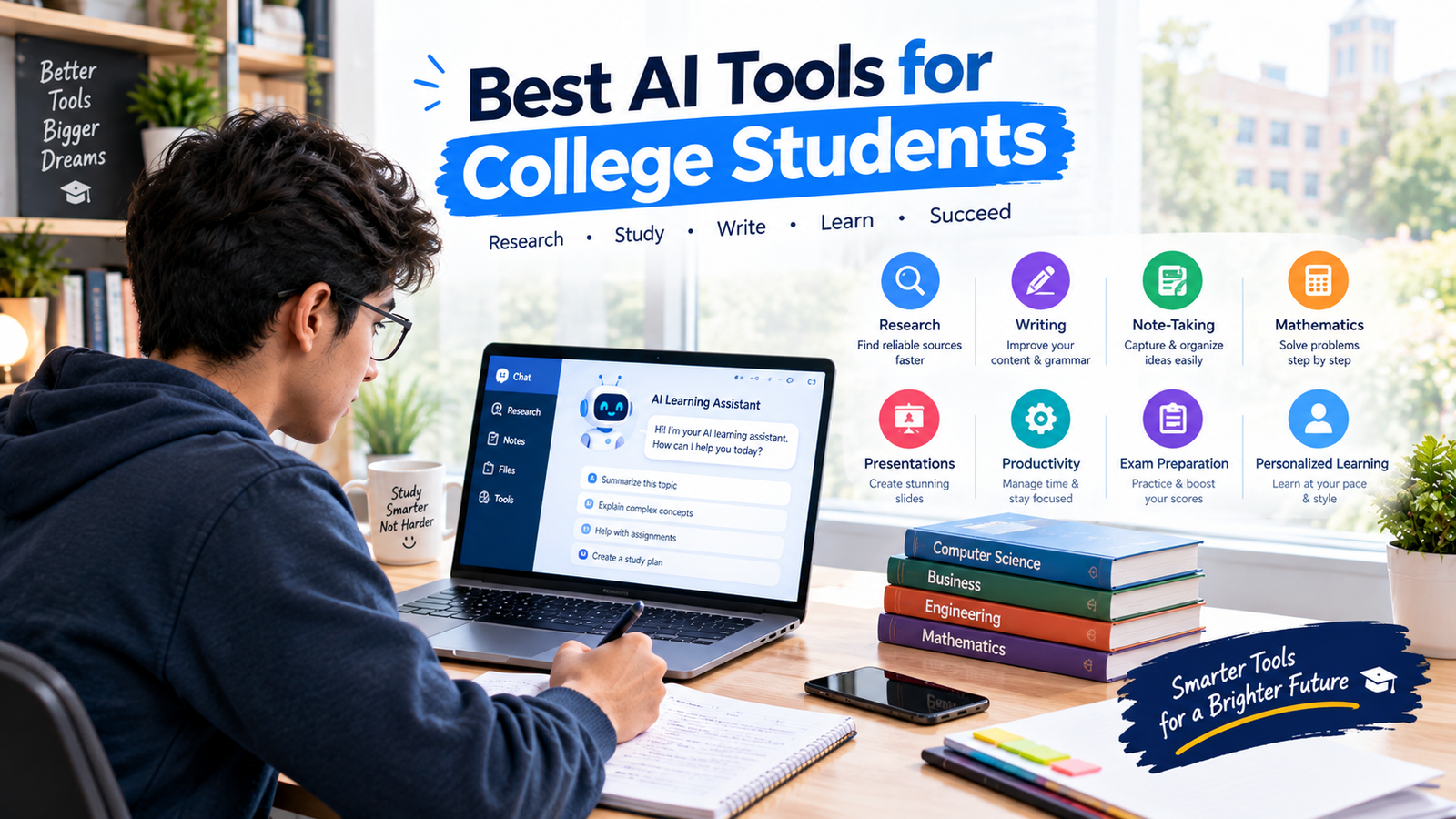
College students have to manage lectures, assignments, research, presentations, exams, notes, deadlines, and many other academic responsibilities. Artificial intelligence can help make some of these tasks more organized and efficient.
Today, AI tools can assist students with understanding difficult concepts, improving writing, researching topics, creating notes, practicing for exams, organizing schedules, and preparing presentations.
However, AI should be used as a learning and productivity assistant, not as a replacement for independent thinking. Students should always check important information and follow their college or university’s rules regarding AI use.
In this guide, we will look at some of the best AI tools for college students in 2026, what each tool can help with, and how students can use AI responsibly.
Why College Students Are Using AI Tools
College education involves much more than attending classes and taking exams.
Students often need to:
- Research academic topics
- Read lengthy materials
- Write essays and reports
- Create presentations
- Take and organize notes
- Solve difficult problems
- Prepare for exams
- Manage multiple deadlines
- Communicate professionally
AI tools can assist with many of these activities.
For example, an AI assistant can explain a complicated concept in simpler language, while a note-taking tool can help organize information from a lecture.
The key is choosing the right tool for the specific task.
1. ChatGPT for Learning and Study Assistance
ChatGPT can be used as a general-purpose AI learning assistant.
College students can use it to understand difficult concepts, brainstorm ideas, create practice questions, summarize their own notes, and develop study plans.
For example, a student can ask:
“Explain this economics concept in simple language and give me a real-world example.”
Students can also use it for active learning:
“Quiz me on this chapter one question at a time.”
Another useful approach is asking ChatGPT to explain mistakes rather than simply providing answers.
Useful for:
- Concept explanations
- Study plans
- Practice questions
- Brainstorming
- Revision
- Writing feedback
- Learning difficult subjects
Students should verify factual and academic information before relying on it.
2. Google Gemini for Research and Learning
Google Gemini can assist students with learning, brainstorming, writing, and research-related tasks.
Students can use an AI assistant like Gemini to explore a topic, generate questions, explain concepts, or organize information.
For example:
“Give me five important questions I should investigate for a college research project about renewable energy.”
Students can then use reliable academic sources to investigate those questions further.
Useful for:
- Research brainstorming
- Topic exploration
- Explanations
- Writing assistance
- Study support
- Idea generation
AI-generated information should still be checked against trustworthy sources.
3. Microsoft Copilot for College Productivity
Microsoft Copilot can be useful for students who already work with Microsoft’s productivity ecosystem.
Depending on the available version and features, AI assistance can support tasks involving writing, documents, presentations, and productivity.
Students can use AI assistance to brainstorm ideas, improve drafts, summarize material, or organize information.
Useful for:
- Writing
- Document assistance
- Presentations
- Brainstorming
- Productivity
Students should review generated content carefully before submitting academic work.
4. Perplexity for Research and Information Discovery
Research can take a lot of time because students often need to explore several sources before understanding a topic.
Perplexity is designed around AI-assisted search and research, making it useful for exploring questions and finding supporting sources.
Students can use it when they want to investigate a topic and identify sources that may be worth reading.
For example:
“Explain the main arguments surrounding renewable energy adoption and provide sources I can investigate.”
This can help students create a starting point for research.
Useful for:
- Research
- Topic exploration
- Finding sources
- Background information
- Comparing information
Students should open and evaluate the original sources rather than relying entirely on an AI-generated summary.
5. Grammarly for Writing Assistance
College students write essays, emails, reports, applications, discussion posts, and other academic material.
Grammarly can help identify writing issues and suggest improvements to grammar, spelling, clarity, and tone.
Students can use it to review their own writing before submitting an assignment.
For example, a student could write a paragraph independently and then use a writing assistant to identify unclear sentences.
Useful for:
- Grammar
- Spelling
- Clarity
- Writing feedback
- Professional communication
The student’s own ideas and arguments should remain at the center of academic writing.
6. QuillBot for Paraphrasing and Writing Support
QuillBot provides writing tools that can help students rephrase text, improve wording, and work with written material.
It can be useful when students want to make their own writing clearer or explore alternative ways of expressing an idea.
However, students should understand the original material before paraphrasing it and should properly cite sources when required.
Useful for:
- Paraphrasing
- Writing improvement
- Summarization
- Vocabulary
- Draft editing
Students should avoid using paraphrasing tools to disguise copied material as original work.
7. Wolfram|Alpha for Mathematics and Technical Subjects
Students studying mathematics, engineering, physics, statistics, and related subjects may benefit from computational tools such as Wolfram|Alpha.
It can help students explore mathematical calculations, formulas, equations, and other technical problems.
Rather than simply copying a result, students should focus on understanding the process behind the calculation.
For example:
“Show me how this equation is solved and explain each step.”
Useful for:
- Mathematics
- Calculations
- Equations
- Statistics
- Technical subjects
Using a computational tool alongside textbook explanations and practice can make technical learning more effective.
8. Quizlet for Flashcards and Practice
College students often need to memorize definitions, terminology, concepts, formulas, and vocabulary.
Quizlet provides digital study tools such as flashcards and practice activities.
Students can use these tools to turn their study material into a more interactive revision system.
For example, students can create flashcards for:
- Biology terms
- Medical terminology
- Language vocabulary
- Historical dates
- Business concepts
- Scientific definitions
Useful for:
- Flashcards
- Memorization
- Revision
- Vocabulary
- Practice
Students can combine flashcards with active recall and practice questions for better revision.
9. Notion AI for Notes and Organization
College students often have information scattered across notebooks, documents, lecture notes, and task lists.
Notion AI can help students organize information within their workspace.
Students can use it to summarize their own notes, brainstorm ideas, structure information, and organize tasks.
For example:
“Turn these lecture notes into headings, key points, and revision questions.”
Useful for:
- Note organization
- Summaries
- Task management
- Brainstorming
- Study organization
The original lecture material should remain available so students can verify important details.
10. Otter.ai for Lecture and Meeting Notes
Students sometimes struggle to take detailed notes while listening to a lecture.
AI-powered transcription tools can help convert spoken information into text and make it easier to review later.
Students can use these tools where permitted to help organize lecture information and identify important points.
Useful for:
- Lecture transcription
- Meeting notes
- Reviewing spoken information
- Note organization
Students should always follow their institution’s rules and obtain appropriate permission when recording lectures or other people.
11. Canva AI for Presentations and Visual Projects
College students frequently need to create presentations and visual assignments.
Canva provides design tools that can help students create slides, graphics, posters, and other visual content.
AI-assisted features can help with brainstorming and creating design elements.
Students can use these tools to improve the visual presentation of their own research and ideas.
Useful for:
- Presentations
- Posters
- Infographics
- Visual projects
- Study materials
Students should still verify facts and citations in any academic presentation.
12. NotebookLM for Working With Study Materials
Students often need to work with their own documents and study resources.
NotebookLM is designed to help users interact with source materials and explore information from those materials.
This can be useful when students want to ask questions about their uploaded study resources or organize information for revision.
For example:
“Based on these study materials, create five questions I should be able to answer before my exam.”
Useful for:
- Study materials
- Document-based learning
- Summaries
- Questions
- Revision
Students should still compare important information with their original materials.
13. Elicit for Academic Research
Academic research can involve reading papers, comparing information, and identifying relevant research.
Elicit is designed to assist with research workflows and can help students explore academic literature.
It can be particularly useful for students working on research projects, dissertations, or literature reviews.
Useful for:
- Academic research
- Literature reviews
- Research questions
- Finding relevant papers
- Organizing research
Students should read the original papers and evaluate their quality rather than relying only on AI-generated summaries.
14. Speechify for Reading and Study Accessibility
College students sometimes need alternative ways to consume written material.
Text-to-speech tools can convert written content into spoken audio, allowing students to listen while reviewing appropriate study materials.
This can be useful when reviewing notes, reading documents, or revising information.
Useful for:
- Listening to study material
- Reading assistance
- Revision
- Accessibility
- Reviewing documents
Students should ensure that the material they use complies with copyright and institutional requirements.
15. AI Tools for Exam Preparation
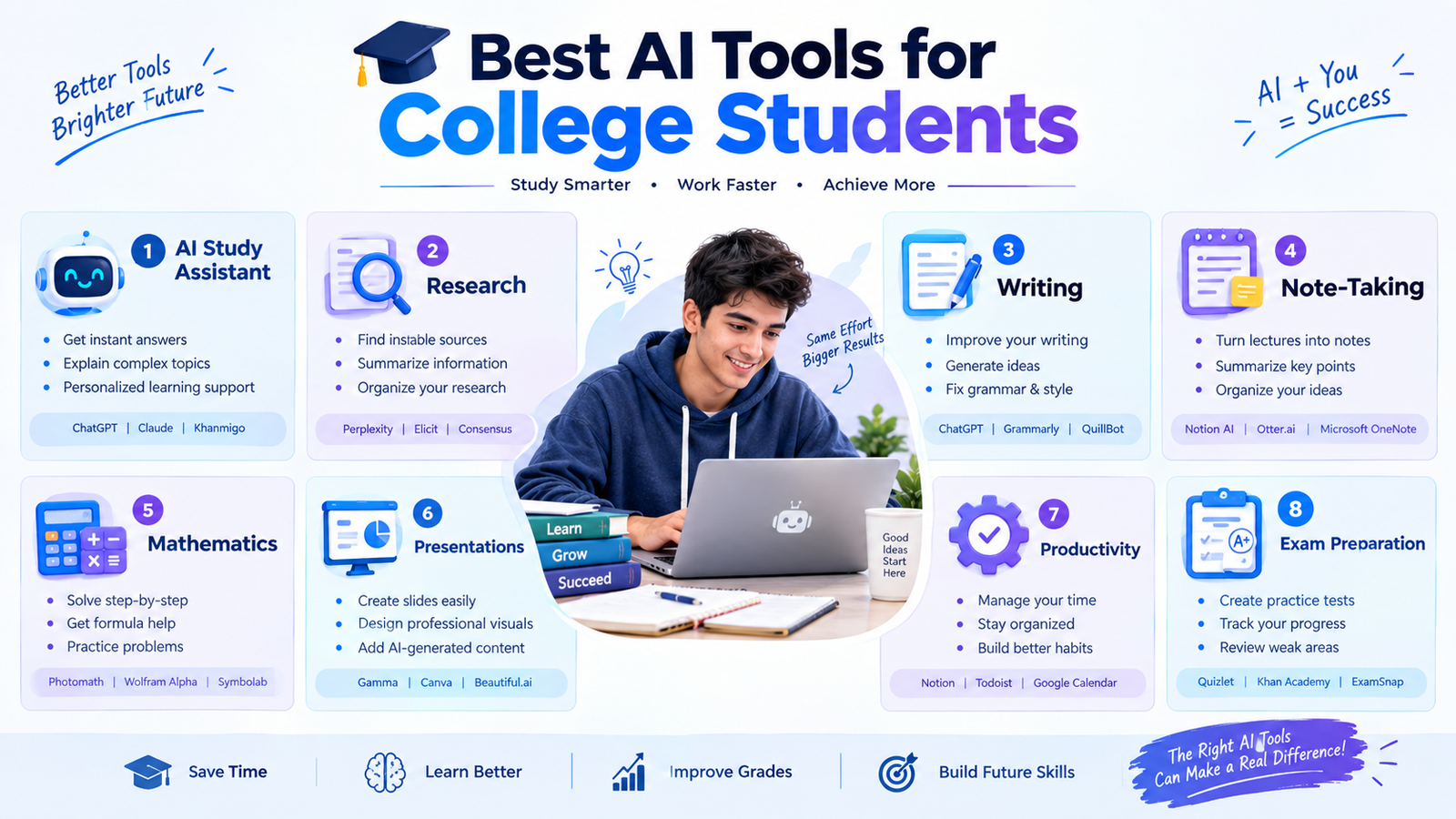
AI can also support exam preparation by helping students create a structured revision process.
Students can use general AI assistants to generate:
- Practice questions
- Mock exams
- Flashcards
- Revision summaries
- Study schedules
- Topic quizzes
For example:
“Create a 30-question practice test based on these five topics. Do not show the answers until I finish.”
After completing the test, students can ask:
“Analyze my mistakes and identify the topics I should revise.”
This turns AI into a practice partner rather than simply an answer generator.
How to Choose the Right AI Tool
There is no single AI tool that is perfect for every college student.
The right choice depends on the task.
| Student Need | Useful Type of AI Tool |
|---|---|
| Understanding concepts | AI learning assistant |
| Research | AI research/search tool |
| Writing feedback | Writing assistant |
| Mathematics | Computational AI tool |
| Flashcards | Study platform |
| Notes | AI note-taking tool |
| Presentations | AI design tool |
| Exam preparation | AI tutor and quiz tool |
| Organization | AI productivity tool |
Before choosing a tool, consider its features, limitations, privacy practices, cost, and compatibility with your study workflow.
How College Students Should Use AI Responsibly
AI can make studying easier, but students should avoid becoming dependent on it.
A good approach is:
Think → Try → Ask → Check → Practice → Improve
Try to solve the problem yourself first.
If you are stuck, ask AI for an explanation or hint.
Then solve a similar problem independently.
Students should also verify important information because AI systems can produce incorrect answers.
Most importantly, follow your college or university’s academic integrity policies. Rules regarding AI-generated content can vary between institutions, courses, and assignments.
Common Mistakes Students Should Avoid
Using AI for Every Assignment
If AI does all the work, students may miss the opportunity to develop important skills.
Copying AI-Generated Answers
An AI response should not automatically be treated as a correct or acceptable submission.
Skipping Verification
Always verify important facts, calculations, citations, and academic claims.
Using AI Instead of Studying
AI should make learning more effective, not eliminate the need to study.
Ignoring Academic Policies
Always check the rules that apply to your course and institution.
Final Thoughts
The best AI tools for college students can support many parts of academic life, from research and writing to note-taking, studying, organization, presentations, and exam preparation.
Tools such as general AI assistants, research platforms, writing assistants, study applications, computational tools, and AI-powered productivity software can each serve different purposes.
The most important factor is how you use the technology.
Instead of asking AI to complete everything for you, use it to understand difficult concepts, practice skills, organize information, receive feedback, and improve your work.
When used responsibly, AI can become a useful addition to a college student’s study toolkit while keeping independent thinking and genuine learning at the center.
